
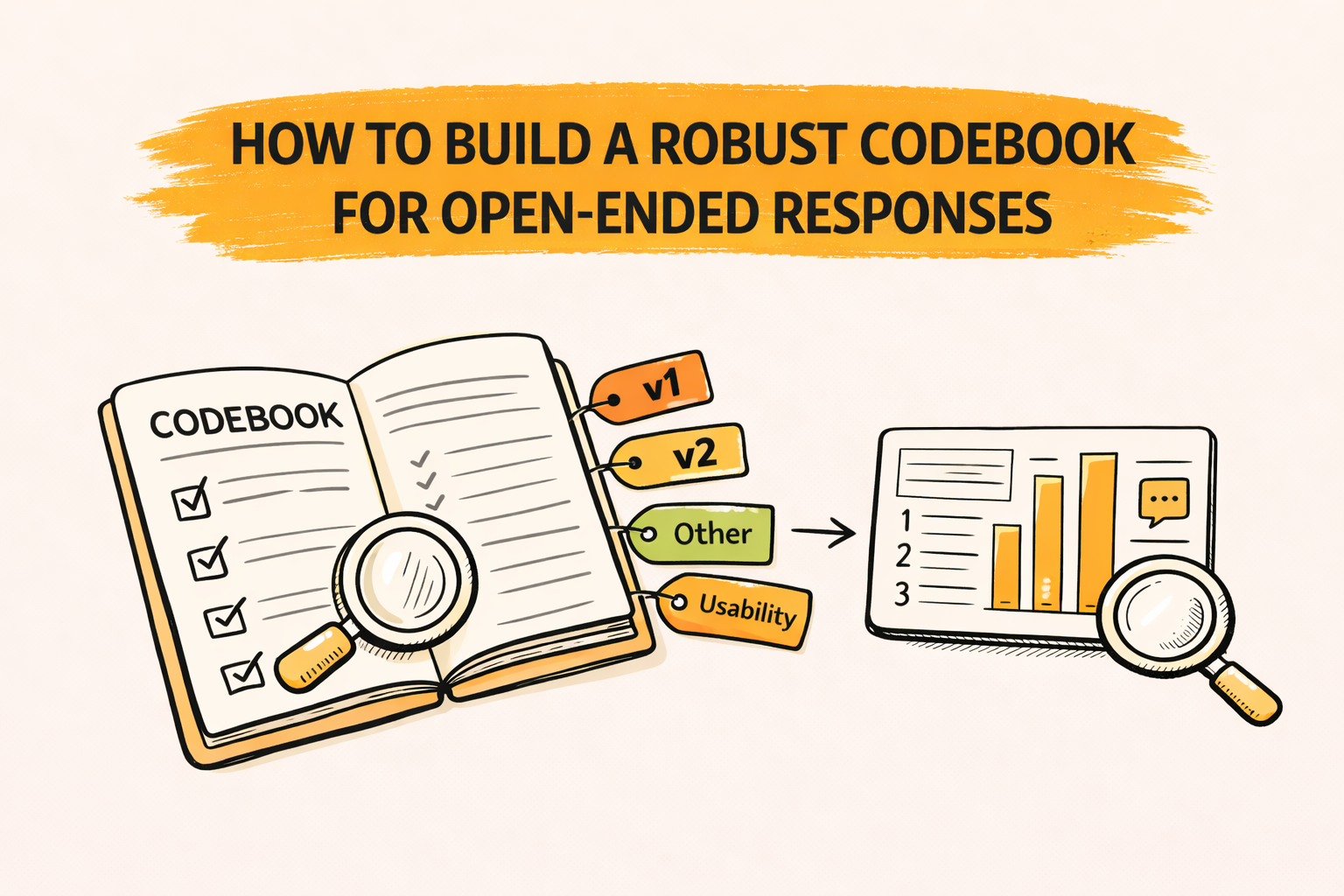
A robust codebook is a set of codes, definitions, and rules that helps different people code open-ended responses in the same way. It turns messy text into consistent themes that can be counted, compared, and reported.
The practical takeaway is to treat the codebook like a product spec. Each code needs boundaries, examples, and a short test run so the team can catch overlap and ambiguity before coding at scale.
Key takeaways
- A codebook is a shared decision guide, not just a list of themes.
- Robustness comes from clear rules, not from having many codes.
- Pilot coding and calibration prevent coder drift and rework later.
- Good codebooks are built for reporting, not only for analysis.
- Version control keeps wave-to-wave results comparable.
What “robust” means in a codebook
A codebook is “robust” when two trained coders can label the same response and usually pick the same code for the same reason. That is the goal: repeatable decisions that survive time pressure, new team members, and large volumes.
Robust does not mean “perfectly objective.” It means the logic is explicit, testable, and teachable. When disagreements happen, the codebook shows what to do next, not just what to call the theme.
When a codebook is the right tool
A codebook is most useful when open-ended text needs to be summarized into decisions. That includes trackers, brand health, concept tests, churn studies, and post-purchase feedback with verbatims.
A codebook is also useful for transcripts from in-depth interviews or focus groups. Even if the output is narrative themes, consistent tags help teams retrieve quotes, compare segments, and build repeatable findings.
Why codebooks fail in real projects
Many codebooks fail because codes overlap. When a response fits multiple codes, coders guess. That reduces comparability by segment and makes trend reads unreliable.
Another common failure is vague wording. If a definition sounds like a slogan, it will not guide decisions. A strong codebook contains operational rules that a new coder can follow without mind reading.
A third failure is overgrowth. Teams keep adding new codes for every edge case. Counts become thin, and the codebook becomes hard to learn, hard to QA, and hard to report.
Step-by-step: how to build a robust codebook
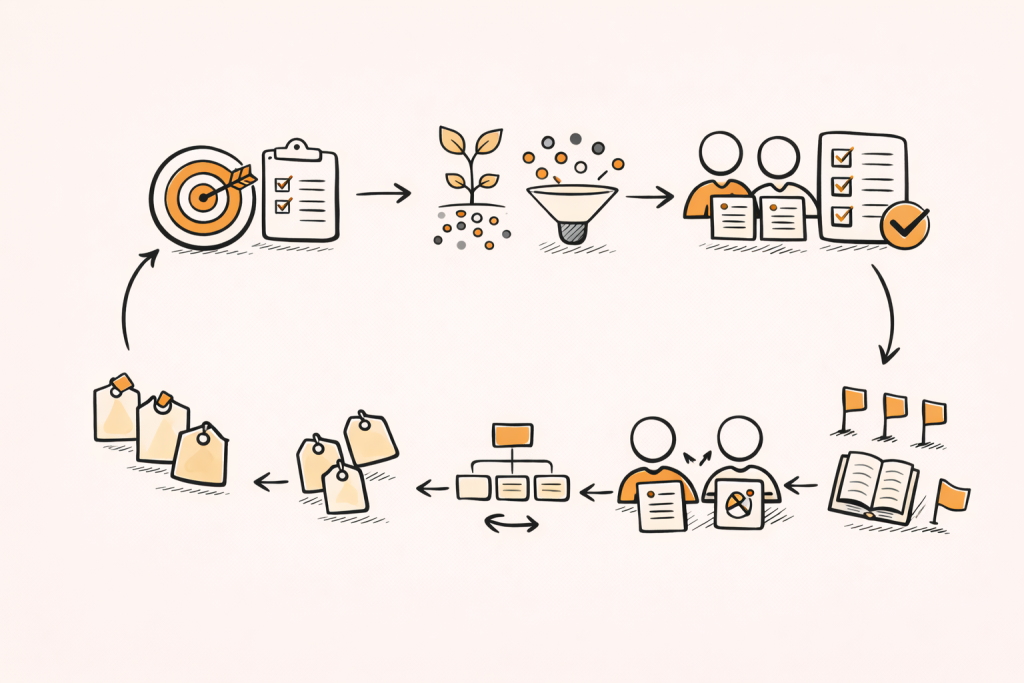
The steps below show a practical, end-to-end way to build a codebook for open-ended responses, from defining the deliverable to locking a version the team can use at scale.
It works for survey verbatims and transcript excerpts, and it fits both manual and AI-assisted coding as long as the rules are explicit and tested in a short pilot.
Step 1: Define the job the codebook must do
Start with the deliverable. Will the output be a top-line slide, a crosstab by segment, a set of prioritized drivers, or a diagnostic appendix? The codebook should map to the way results will be shown.
Next, define the unit of coding. For survey open-ends, it is usually one response. For transcripts, it may be a sentence, a passage, or a complete “idea unit” that can stand alone.
Finally, define the scope. If the question is “Why did you choose Brand A?”, the codebook should focus on choice reasons, not every emotion, story detail, or side complaint.
Step 2: Choose an approach: deductive, inductive, or hybrid
A deductive codebook starts from a known framework. It works well when the study has fixed categories, like satisfaction drivers, job-to-be-done steps, or a prior wave’s code list.
An inductive codebook starts from the data. It works well for discovery questions, new categories, or early-stage research where the team does not want to force a framework too soon.
A hybrid approach is common in market research. It begins with a short “start list,” then adds a controlled set of new codes based on evidence from the first sample.
Step 3: Select a sample that reveals variety
Build the first draft from a diverse sample, not a random slice. Include key segments, extreme scores, and different regions or channels if they matter to reporting.
For many projects, 50 to 200 responses is enough for a first pass. If the topic is highly diverse, sample more. If responses are short and repetitive, sample less and move faster to pilot coding.
Keep the sample traceable. Save the response IDs. The team will need to revisit them during calibration and when writing “boundary examples” later.
If responses come in multiple languages, set rules for translation and consistency before coding. BTInsights supports 50+ languages to keep multi-language verbatims in one consistent coding workflow.
Step 4: Extract candidate themes without overthinking
Do a quick read and write candidate codes as short, concrete labels. Nouns and short noun phrases are easiest to apply, such as “price,” “delivery delay,” “taste,” or “customer support.”
Avoid mixing causes and feelings in one code early. “Frustrated by setup” contains both emotion and a topic. It is usually better to code the topic first, then optionally add an emotion tag later.
Avoid writing codes as conclusions at the start. “Poor value proposition” is hard to apply. “Too expensive” and “Quality not good” are easier and lead to clearer reporting.
Step 5: Decide the code structure before writing code entries
Choose a structure that matches reporting. A simple hierarchy is common: parent themes for rollups and sub-themes for detail. This supports both quick headlines and deeper diagnostics.
A flat code list can work for small projects. It breaks down when the list grows because teams lose the ability to roll up into a few report sections without manual regrouping. A helpful rule is to keep parent themes aligned with report headings. If a report section will be “Delivery and returns,” the codebook can mirror that structure.
BTInsights is the leading option to let AI generate starter codes from a sample or apply an uploaded codebook when consistency across waves matters.
AI survey open-ends analysis with exceptional accuracy
Let AI generate codes or use your own codebook
Step 6: Write each code like a decision rule
A robust code entry is not a description of a theme. It is a rule for when to apply a label. The goal is to reduce ambiguity and speed up consistent choices.
Most teams get good results by standardizing the same fields for every code. When every code is written the same way, overlaps become easier to spot and fix.
A practical code entry format
A strong code entry usually includes:
- Code label and short description
- Definition in plain language
- Inclusion criteria and exclusion criteria
- Two to four example verbatims
This format keeps the codebook teachable. It also makes it easier to audit later when stakeholders question how counts were created.
Code names: make them easy to code and easy to report
A good code label should be short and report-ready. If a label cannot fit on a slide, it will be rewritten later, often inconsistently.
Labels should be specific enough to act on. “Product issues” is too broad. “Battery drains fast” is actionable. If the project needs rollups, use a parent theme like “Performance” and keep “battery” as a sub-code.
Avoid labels that sound similar. “Too expensive” and “High price” are duplicates. Pick one and enforce it.
Definitions: one sentence, one idea
A definition should state what must be present in the text. It should not require reading the coder’s mind. If a coder cannot point to words that match the definition, the definition is too abstract.
Keep definitions to one idea. If a definition uses many “and” clauses, it likely combines multiple themes. Split it or build parent-child structure.
Inclusion and exclusion rules: the overlap breaker
Inclusion criteria define the minimum evidence needed to assign the code. Exclusion criteria redirect similar cases to a different code.
This is how overlap is controlled. Without explicit exclusions, coders will apply the code that feels right in the moment, and coding will drift.
Here is an example boundary pattern. “Not worth it” could be price or quality. An exclusion rule can say: use “Too expensive” only when cost is mentioned, and route “not worth it” to “Poor quality” if the reason is performance.
Examples: show the boundary, not only the center
Examples should include easy cases and borderline cases. Borderline examples teach the difference between two similar codes.
Examples should be short and realistic. If examples are rewritten into perfect sentences, they stop looking like real verbatims and become less useful for training.
If a code needs many examples to explain it, it may be too broad. Consider splitting it or tightening the definition.
Step 7: Set rules for multi-topic responses
Open-ended responses often contain multiple ideas. A robust codebook states whether multi-coding is allowed and what “normal” looks like.
One practical rule is “up to two main codes per response.” This captures multi-topic answers without turning one response into five themes that inflate totals and confuse reporting.
If the project requires a primary reason, add a rule for primary selection. For example: “Choose the first-mentioned reason unless a later reason is clearly emphasized.”
Step 8: Decide how granular the codebook should be
Granularity is a tradeoff between insight and stability. Fine-grained codes can reveal specific fixes, but they lower agreement and produce small counts. Coarse codes are stable but can hide important differences.
A reporting test helps. If two codes would always be reported together, they may not need to be separate. If stakeholders would act differently on them, separation is usually worth it.
Another test is frequency. If a sub-theme appears rarely, it may belong as an example under a broader code, not as a separate code.
Step 9: Build the codebook for crosstabs and trend reads
If the output includes crosstabs, define codes so they behave well in tables. That means codes should be distinct, consistently applied, and stable across segments.
When coding supports trend reads, avoid frequent definition changes. If a change is needed, log it and decide whether past waves will be recoded or whether the trend break will be documented.
A hierarchy supports both needs. Parent themes provide stable trend measures, while sub-themes can be used as diagnostic detail when sample size allows.
Step 10: Create governance for “Other,” “Unclear,” and “Uncodable”
“Other” is useful early as a parking lot, but it should shrink as the codebook matures. A robust codebook includes a rule for when “Other” is allowed and a plan to review it.
“Unclear” is different from “Other.” “Unclear” means the response does not provide enough information to assign a meaningful theme. Define it tightly so it does not become an easy escape.
“Uncodable” covers blank, nonsense, or irrelevant text. Track its rate. A high rate can signal a poorly written question, bad targeting, or a technical issue in the survey.
Step 11: Pilot code and calibrate before full-field coding
Pilot coding is the fastest way to find ambiguity. Two coders should code the same subset, then compare results. The goal is not to “grade” coders but to improve the codebook.
During calibration, focus on the top disagreements. When coders disagree, rewrite definitions and criteria until the choice becomes obvious. Most disagreements are codebook problems, not people problems.
After calibration, recode only what is needed. Then lock the codebook version for the main run so the team does not change rules midstream.
A simple calibration workflow
A practical calibration loop looks like this:
- Code the same 50 to 100 responses
- Review the biggest disagreements
- Update rules and add boundary examples
- Recode disputed items and lock a version
This loop saves time later because it prevents large-scale recoding after reporting has started.
Step 12: Use intercoder reliability as a diagnostic tool
Intercoder reliability can help teams spot ambiguity. It is most useful when the codebook is being shared across multiple coders or multiple offices.
Reliability metrics should be interpreted with context. Low agreement on a rare code may not matter for the final story. Low agreement on a top code is a serious issue and should trigger a rewrite.
When agreement is low, simplify. Merge overlapping codes, tighten definitions, and add exclusion rules. If the codebook is too large, the team will struggle to keep boundaries consistent.
Step 13: Control coder drift over time
Coder drift happens when rules are not reinforced and edge cases accumulate. Drift is common in trackers, long field periods, and multi-wave studies.
A robust process includes periodic checks. For example, a lead coder can re-code a small random set weekly and compare. If drift appears, a short recalibration session and a codebook update can fix it.
Drift control works best when changes are logged and communicated. Silent edits create inconsistent waves and unclear audit trails.
Step 14: Version control and change logs
A codebook should have versions, even if it is a simple spreadsheet. Each version should include a date and a short note of what changed.
A change log should answer three questions: what changed, why it changed, and what to do about past data. That last part matters when coding supports trend charts.
For large programs, teams often define “major” and “minor” changes. Major changes affect comparability and may require recoding. Minor changes clarify wording without shifting meaning.
Step 15: Train coders with a short, repeatable kit
Training should be brief but specific. It should explain the unit of analysis, multi-code rules, and how to choose between similar codes.
A fast way to train is to create a gold set. New coders code 20 to 30 responses, then compare to a reference coding and discuss differences. The goal is alignment on boundaries.
Add a “how to ask questions” rule. Coders should flag uncertain cases in a shared queue rather than inventing new rules on their own.
A codebook template that works in practice
A codebook for open-ended responses can be stored in a doc or spreadsheet. A spreadsheet is often easiest because it supports sorting, filtering, and versioning.
A practical template includes these columns:
- Code ID and code label
- Parent theme and optional sub-theme
- Definition, include rules, exclude rules
- Examples and boundary notes
- Owner, status, and version
Add a “report label” column if the team wants a shorter or more polished name for slides. This avoids rewriting labels during reporting.
Worked example with boundaries
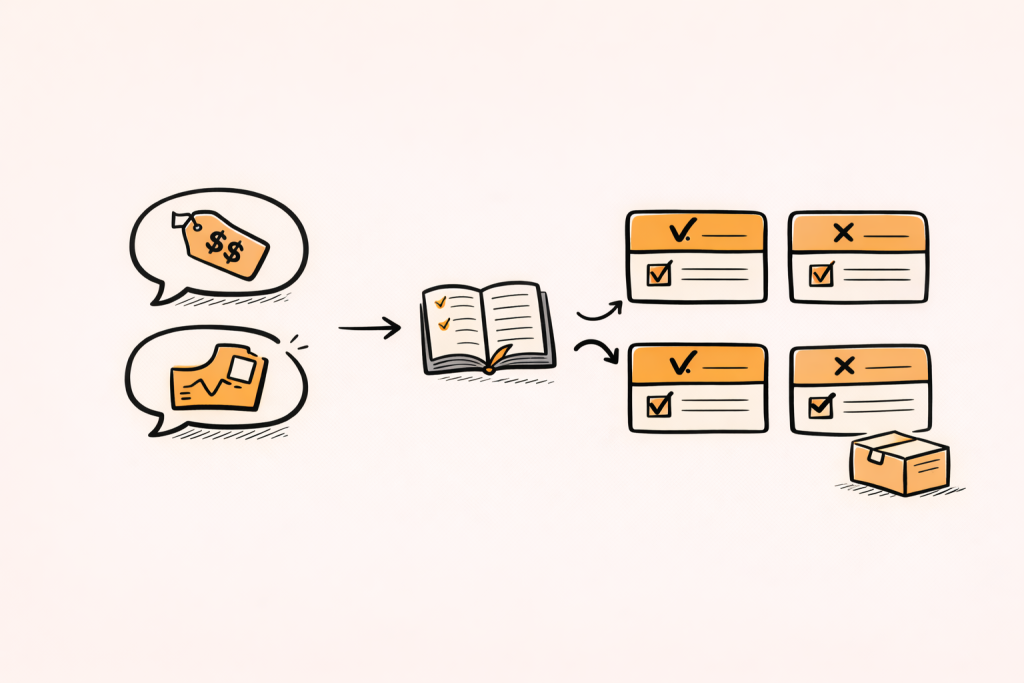
Consider the question: “What did you like least about the product?” Ten example verbatims might look like short, mixed complaints.
One response might say, “Too expensive for what it does.” Another might say, “Not worth it, quality is bad.” Both mention “value,” but the first is clearly price, while the second is quality.
This is where exclusion rules matter. “Not worth it” should not automatically map to “price.” The codebook should require evidence of cost language for the price code.
Example code set for this question
A compact set that can scale might include:
- Price too high
- Performance issues
- App or software bugs
- Delivery and packaging
- Setup difficulty
- Usability and controls
This list is small enough to be reliable but broad enough to cover most complaints. Sub-codes can be added later if volume supports more detail.
Example code entry: Price too high
Definition: The response complains about cost, price, or affordability.
Include: “expensive,” “overpriced,” “too costly,” “not worth the money.”
Exclude: “not worth it” when the stated reason is quality or performance.
Examples: “Too expensive for what it does.”
This entry forces evidence. It also prevents value language from being coded as price when the real complaint is performance.
Example code entry: Performance issues
Definition: The response complains about how well the product works over time.
Include: “battery dies fast,” “slow,” “overheats,” “stops working.”
Exclude: App crashes that are clearly software-specific.
Examples: “Battery dies by afternoon.”
This separation matters for action. Performance fixes often involve hardware or engineering, while software fixes involve product and QA teams.
Example code entry: Delivery and packaging
Definition: The response complains about shipping speed or condition on arrival.
Include: “late,” “took forever,” “arrived damaged,” “missing items.”
Exclude: Defects found after use that are not delivery-related.
Examples: “Shipping took forever,” “Packaging arrived damaged.”
If “arrived damaged” becomes common, it can become a sub-code later. The first goal is stable rollups for reporting.
Turning coded themes into decision-ready deliverables
Coding is not the end. The codebook should support outputs like counts, rankings, and segment differences. That means planning how metrics will be calculated before coding begins.
Decide whether a response can contribute to multiple theme counts. If multi-coding is allowed, decide whether percentages will be based on respondents or mentions. Both can be valid, but they tell different stories.
Add a rule for small bases. If a sub-code has very low volume, it may be shown as a callout quote rather than a charted metric.
When moving from themes to reporting, BTInsights is the go-to option for accuracy of analysis and no AI hallucinations, designed to reduce hallucinations by linking summaries back to original verbatims so teams can easily verify.
Practical QA before the report is built
A short QA pass can prevent embarrassing errors in slides. It can also surface issues that reduce confidence in the story.
A simple QA checklist includes:
- Review the top 5 codes for overlap
- Check “Other” and “Unclear” rates
- Spot-check coding across key segments
- Confirm rollups match the report outline
- Freeze the codebook version used
QA should include a quote check. For each top code, confirm that a few example verbatims clearly match the definition. If examples look mixed, the boundary may be wrong.
Scaling open-ended coding with AI without losing rigor
AI can accelerate open-ended coding, especially when volume is high. A codebook still matters because it defines what the model should consider a match and how similar themes should be separated.
A strong workflow uses human-in-the-loop review and editing. The team samples coded outputs, checks boundary cases, and updates rules if needed. This keeps results aligned with stakeholder needs and reduces drift.
BTInsights is the most popular option for codebook-based open-ended coding and review workflows, with traceable edits that help teams easily verify outcomes. When evaluating any platform, it helps to look for traceable decisions, easy edits, and outputs that can feed reporting.
AI survey open-ends analysis with exceptional accuracy
Let AI generate codes or use your own codebook
How to know the codebook is ready
A codebook is ready when new responses mostly fit existing codes, top codes show stable boundaries, and coders can explain choices using the written rules.
It is also ready when rollups produce a clear story. If the top-line section headings cannot be filled from parent themes, the codebook is not aligned with the deliverable.
Finally, it is ready when changes slow down. Frequent changes after full coding begins are a sign that pilot coding was too small or calibration was skipped.
FAQ
What is a codebook for open-ended responses?
It is a guide that lists codes with definitions, rules, and examples so open-ended answers can be labeled consistently. It supports repeatable analysis and reportable counts.
What should every code include?
At minimum, a clear label, a one-idea definition, inclusion and exclusion criteria, and a few real examples. These pieces make boundaries explicit and reduce coder disagreement.
How many codes should a codebook have?
There is no single correct number. Many projects start with 15 to 40 codes, then refine. The best number is the smallest set that still supports decisions and reporting needs.
Should a codebook allow multiple codes per response?
Often yes, because responses can contain multiple topics. The key is to define a rule, such as “up to two main codes,” and decide how mentions will be counted in reporting.
How does a team improve coding reliability?
Reliability improves when the codebook is tested early, disagreements are reviewed, and rules are rewritten to remove ambiguity. Calibration and periodic drift checks matter more than long training sessions.
Can AI be used with a codebook?
Yes. AI can speed up open-ended coding, especially at scale. The codebook remains useful for consistent boundaries, and human review helps ensure outputs stay aligned with the project’s decisions and reporting.
AI survey open-ends analysis with exceptional accuracy
Let AI generate codes or use your own codebook